AI Tools for Content Creators (2026): What Actually Works

Ninety-five percent of content marketers now use AI tools, but trust in those tools fell from 40% to 29% in one year. The honest answer to “which AI tools for content creators actually work in 2026?” is: a small, evaluated stack of three to five tools — not the eighteen-app mess most blogs run today. This pillar links every working framework, comparison, and workflow on this site so you can build that stack quickly without getting burned.
Table of Contents
- What “AI tools for content creators” actually means
- Why this matters in 2026
- How to evaluate any AI tool in 30 minutes
- The hidden costs of AI tools nobody talks about
- Best AI writing tools (hands-on testing)
- How I use Claude for blog research
- Covered next: image, SEO, video, coding, detection
- Getting cited by AI search (the GEO angle)
- The skeptical creator’s framework
- Tools & resources
- Getting started
- FAQ
The state of AI tools for content creators in 2026
Adoption is no longer the story. Ninety-five percent of content marketers now use AI in some form, up from 65% just two years ago, according to Orbit Media’s 2025 Blogger Survey. Pew Research Center reports that 34% of U.S. adults have used ChatGPT — roughly double the share in 2023. The “should I use AI?” debate is settled.
The interesting story is what happens after adoption. Stack Overflow’s 2025 Developer Survey shows trust in AI accuracy fell from 40% to 29% in a single year, while favorability dropped from 72% to 60%. People are still using AI — they’re just less sure it’s working.
That’s the gap this pillar is built for. I’ve been testing AI tools for content creators since GPT-3 was a curiosity, and I run a multi-tool stack on this blog every week. The articles below are not “best of” listicles; they are documented results from real testing — what worked, what failed, what I quietly cancelled. This guide is the hub. The deep dives are linked throughout.
What “AI tools for content creators” actually means
AI tools for content creators are software products that use generative or predictive machine learning to produce, optimize, or analyze creative work — writing, images, video, audio, code, and the metadata that surrounds them. The category covers six functional groups:
- Writing & editing — long-form drafts, ideation, rewriting, fact-pulling (ChatGPT, Claude, Jasper, Grammarly).
- Research & synthesis — gathering and summarizing sources (Perplexity, Claude with web search, NotebookLM).
- SEO & ranking — keyword research, content optimization, SERP analysis (Surfer SEO, Clearscope, Frase).
- Image generation — featured images, illustrations, infographics (Midjourney, Gemini Nano Banana, DALL-E, Adobe Firefly).
- Video & audio — short-form video, voiceover, repurposing (Kling AI, Descript, Remotion).
- Coding & automation — workflow scripts, site builds, integrations (Claude Code, Cursor, GitHub Copilot).
What this category is not: a single product. Anyone selling you “the only AI tool a content creator needs” is selling. The right answer for any specific creator is a stack of three to five tools chosen for a specific workflow — and that stack changes every six to twelve months as the underlying models improve.
For a more philosophical look at how content categories themselves are shifting, see how I organized this site into pillars — that structure is itself a response to AI search.
Why this matters in 2026
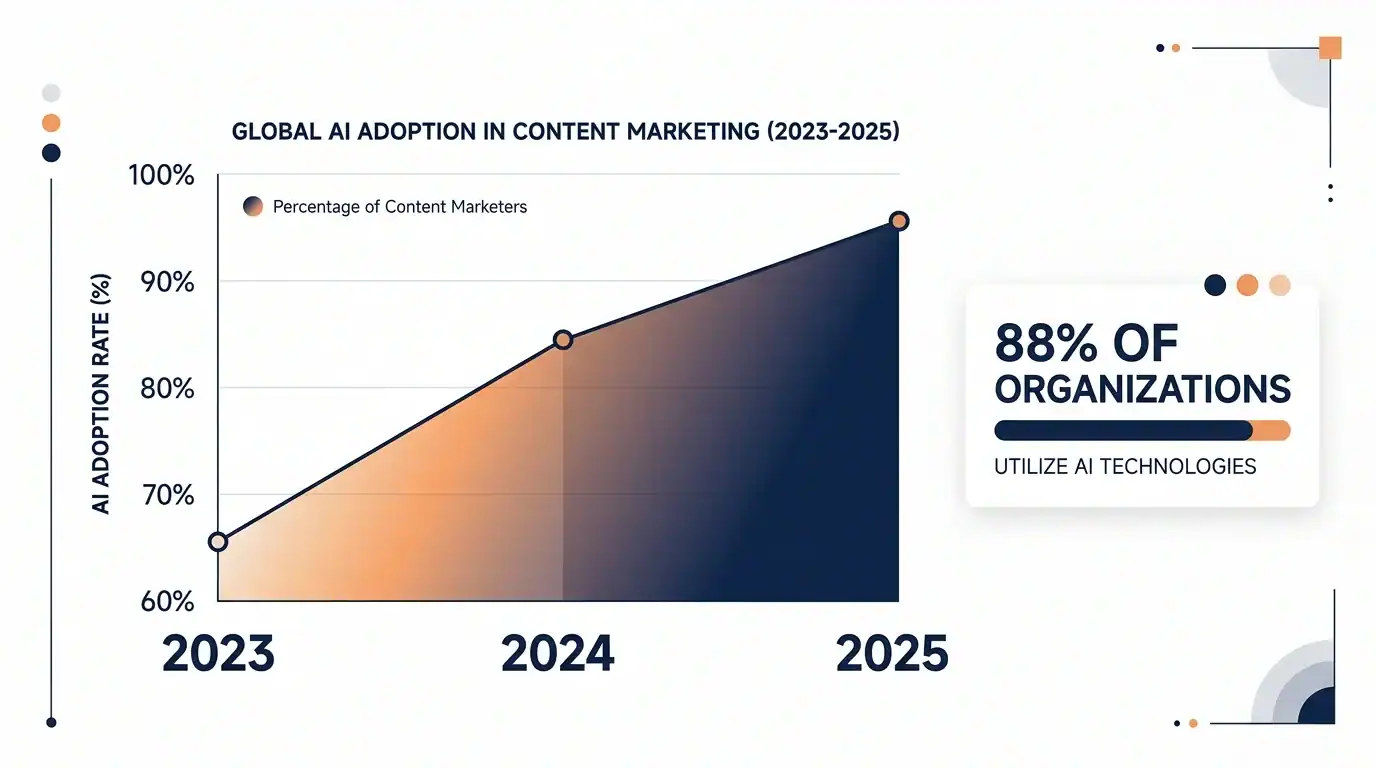
Three forces converged in late 2025 that changed the math on AI tools for content creators. First, adoption hit saturation: by mid-2025, Pew found 34% of U.S. adults had used ChatGPT — roughly double the prior year — and content marketer adoption was already at 95%. AI tools for content creators are no longer a competitive edge; not using them is the differentiator that hurts you.
Second, the supply of AI-generated content exploded. Ahrefs analyzed 900,000 newly created webpages in April 2025 and found 74.2% of them contained AI-generated content. According to the 2025 Blogging Report on AI use, the average blog article is now 1,333 words and takes three hours and twenty-five minutes to produce — both down from prior years. Speed is up; word count is down. The volume floor is rising and the differentiation floor is rising with it.
Third, search behavior fragmented. The Semrush report on AI Overviews’ impact on search shows Google AI Overviews triggered 6.49% of queries in January 2025, peaked at 24.61% in July, and settled at 15.69% in November. Click-through rates collapsed — Ahrefs measured that AI Overviews reduce clicks by 58% for the top-ranking page when an AI Overview is present.
The takeaway for content creators: the question isn’t whether to use AI. It’s which AI tools earn their place in your stack, how to evaluate them honestly, and how to write content that gets cited by AI rather than buried under it. The rest of this pillar walks through that — section by section — with deep dives at every step.

How to evaluate any AI tool in 30 minutes
The single biggest mistake creators make when shopping for AI tools for content creators is buying based on demos and Twitter hype instead of running a real test. A demo is a sales surface — it’s been rehearsed against the prompts the vendor wants to win. Your actual workflow is different, and that difference is exactly what determines whether the tool will earn its subscription fee.
I built a 30-minute evaluation framework specifically because most AI tools for content creators look brilliant in the first ten minutes and ordinary by the fortieth. The framework forces you through three honest tests in half an hour: a real-task test (using your actual content, not the vendor’s demo prompt), a friction test (how many steps until you get a usable output), and a comparison test (run the same task in a free or cheaper alternative and rank the outputs blind).
What surprised me most when I built the framework: nine times out of ten, the “obvious” winner from a vendor demo loses to a free alternative when judged blind. That’s not because the paid tool is bad — it’s because the marginal advantage was too small to justify the price. This single discipline has saved me more money on AI tools for content creators than any discount or promo code ever has.
Read the full breakdown: How to Evaluate Any AI Tool in 30 Minutes (My Framework) — includes the scorecard template, the three-test protocol, and worked examples from my own evaluations.
The hidden costs of AI tools nobody talks about
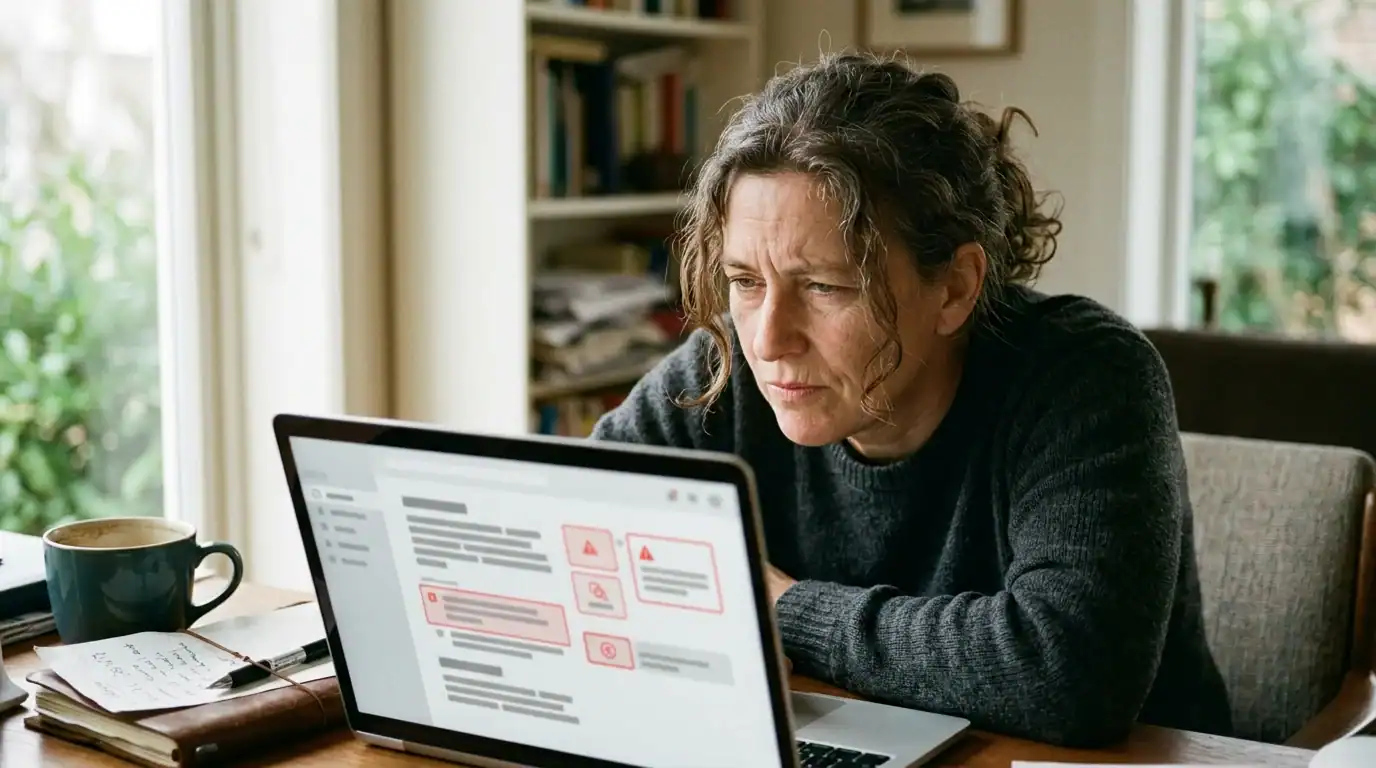
Subscription prices are the headline number, but they’re not the real cost of AI tools for content creators. The real cost is what happens to your time, your trust, and your judgment after three months of use. I did the math on my own stack across a calendar quarter and the result was uncomfortable.
The hidden costs of AI tools for content creators split into four buckets. Verification time — every AI output needs human checking, and that checking does not scale linearly. Tool sprawl — most creators end up paying for overlapping features across three or four tools without realizing it. Judgment erosion — after enough sessions outsourcing first drafts, you start to lose the writerly instinct that made you worth reading. Lock-in — exporting your prompts, custom instructions, and templates from one tool to another is rarely as clean as it sounds.
This matters because spending on AI-native apps grew 75.2% year-over-year, according to Zylo’s 2025 SaaS Management Index. The category is hot, vendors are competing for spend, and creators are absorbing far more cost than the sticker price suggests.
Read the full breakdown: The Hidden Costs of AI Tools Nobody Talks About (I Did the Math) — includes the four-bucket cost model, my own quarterly numbers, and a worksheet for auditing your own stack.
Best AI writing tools — hands-on testing of seven options
Writing is where AI tools for content creators earn or lose their keep. It’s also where the gap between the marketing claim (“write a blog post in five minutes!”) and reality (“now spend forty minutes fixing it”) is widest. To cut through the noise, I tested seven of the most-recommended AI writing tools head-to-head on a single 1,500-word blog post brief — same topic, same outline, same time budget.
The shortlist of AI tools for content creators in this round included ChatGPT, Claude, Jasper, Copy.ai, Writesonic, Grammarly’s AI features, and a dark-horse option I won’t spoil here. I scored each on draft quality, voice match, factual accuracy, formatting cleanliness, and post-edit time. The result was not what the rankings on most affiliate blogs would predict.
The most surprising finding: the highest-quality first draft did not produce the lowest total time-to-publish. Tools that gave me a passable draft quickly forced more revision; tools that wrote slower produced cleaner output that needed less work. The right metric is not “draft speed” but “minutes from blank page to publishable post” — and those are very different numbers.
Read the full breakdown: 7 Best AI Writing Tools: Hands-On Testing of Every Option (2026) — includes the scoring rubric, side-by-side draft samples, and my honest pick for solo bloggers under $50/month.
How I use Claude for blog research (full workflow)
Most “how I use AI” posts end at “I ask it to write things.” That’s not a workflow — that’s a chat. The actual leverage from AI tools for content creators comes from upstream work: research, outline, source verification, and structural editing. Writing is the part where AI tools for content creators help least.
My current research workflow uses Claude (specifically Claude Opus) as the primary research synthesizer, with structured prompts that force it to verify URLs, surface contradictions, and flag stats it can’t source. The output is a research packet with cited excerpts — not a draft. The drafting happens later, by hand, with the packet on a second monitor.
What changed when I adopted this workflow: I stopped publishing fabricated statistics. AI search engines provide incorrect answers to more than 60% of news-citation queries, according to the Tow Center for Digital Journalism. If you let an AI write claim-rich content directly, you inherit that error rate. Splitting research from drafting fixes that — your AI gathers, you write.
Read the full breakdown: How I Use Claude for Blog Research: Full Workflow (2026) — includes the system prompt I use, the research-packet template, and the failure modes I’ve hit and corrected. This is the most copied workflow on the site for a reason.
Covered next: image, SEO, video, coding, and detection
The four sections above cover the foundation of any working stack of AI tools for content creators. The next five spokes round out the cluster. Each is on the editorial calendar; this is what’s coming.
AI image generators for bloggers
Visual AI tools for content creators have consolidated fast. Midjourney, Gemini’s Nano Banana, DALL-E 3, and Adobe Firefly each have a different sweet spot. The questions worth answering aren’t “which one wins” but “which one fits a non-designer creator producing 4-6 images per post on a budget under $30/month.” That comparison is up next, with the same hands-on testing protocol used in the writing-tools post. Until then, my Midjourney prompt guide covers the prompting layer that matters across every image tool.
AI SEO tools compared (Surfer, Clearscope, Frase, MarketMuse)
The AI SEO category has converged faster than any other vertical. Most tools now do roughly the same thing — keyword cluster maps, SERP analysis, brief generation — and the question is which one fits your workflow at your traffic level. The post in development tests all four against the same target keyword and ranks them on time-to-brief, accuracy of SERP intent, and how well the recommendations actually moved rankings on test posts.
AI video tools for content repurposing
Repurposing one blog post into short-form video is the single biggest unlock for solo creators in 2026. Kling AI, Descript, and Remotion approach it from very different angles. My early experiments with the programmatic approach are documented in Remotion + Claude Code: programmatic video realities and Kling AI 3.0 deep dive; the full comparison is the next post in this slot.
AI coding assistants that save real time
Most creators don’t think coding belongs in the AI tools for content creators conversation — until the day they need a custom Zapier alternative, a one-off scraper, or a chart for a blog post and don’t want to hire a developer. I’ve already covered the head-to-head between Opus 4.6 vs Codex 5.3 and Opus 4.6 vs Gemini 3.1. The pillar-aligned post will translate those tests into a creator-facing guide: when to use AI coding tools, what they’re worth to you, and the three projects every blogger should run them on first.
AI content detection (and what it actually means for your blog)
The “Will Google penalize my AI-written post?” question doesn’t have the answer most people think. Ahrefs analyzed top-ranking pages and found 86.5% contain some AI-generated content, with a correlation to rank of 0.011 — effectively zero. The next post translates that finding into a practical rule: when AI content detection tools matter (almost never for ranking), and where they actually do matter (client deliverables, academic work, journalism).
Getting cited by AI search — the GEO angle
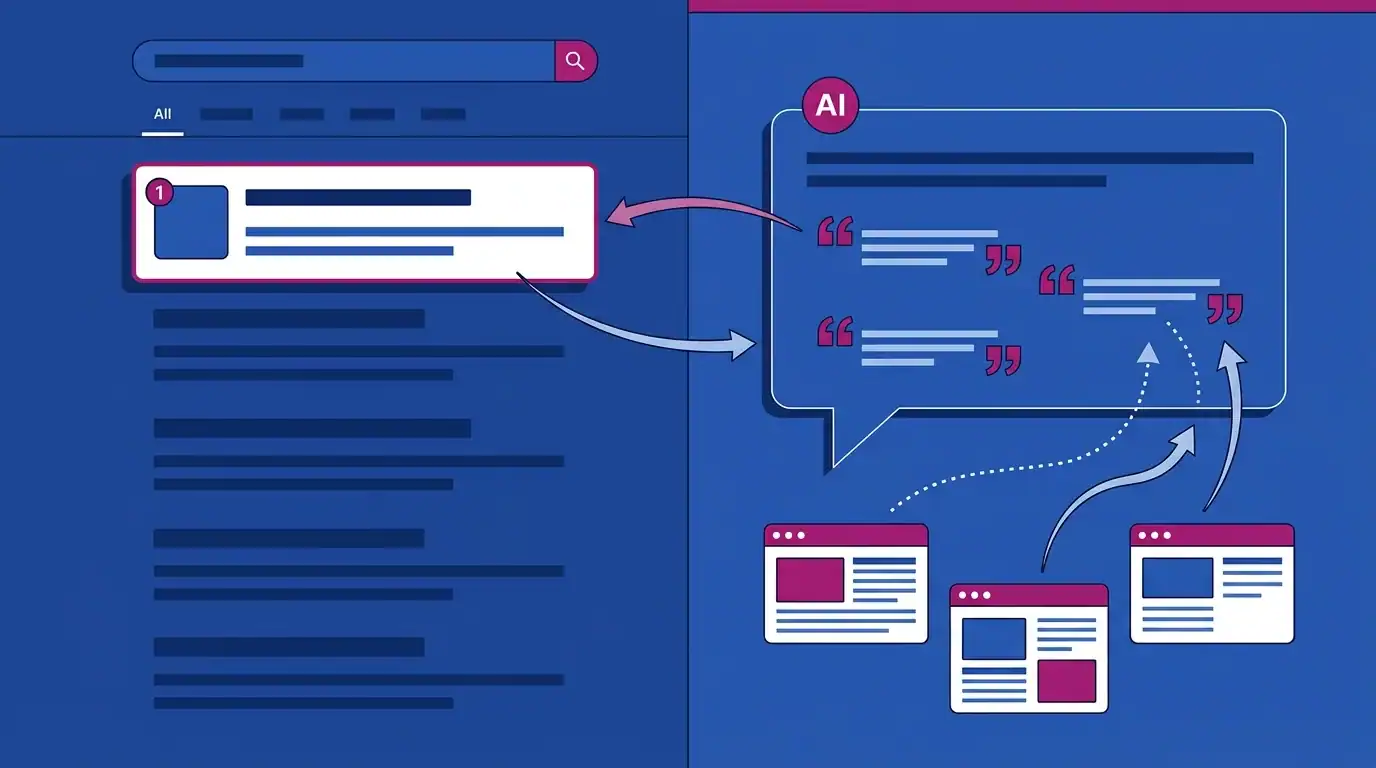
The most important shift for AI tools for content creators in 2026 is not in the writing — it’s in the search behavior of readers. Generative engine optimization (GEO) and answer engine optimization (AEO) are the names for what used to be SEO, adapted to a world where ChatGPT, Perplexity, and Google AI Overviews answer the question before the reader clicks anything.
Two findings reshape the playbook. First, only 38% of AI Overview citations pull from the top 10 Google results. That means roughly 62% of citations go to pages outside the top 10 — including pages outside the top 100. You don’t need to rank #1 to get cited. You need to be the cleanest, most extractable answer to the question.
Second, the structural patterns AI engines reward are different from the patterns Google’s blue-link algorithm rewards. Answer-first formatting (lead every section with a 40-60 word direct answer), 50-150 word paragraph chunks, named statistics with sources, and FAQ schema all increase citation likelihood. I covered the playbook in detail in Blog SEO 2026: What Changed After the Core Update — that post is the bridge between SEO as you knew it and the GEO-aware version.
The practical implication: if you’re using AI tools for content creators only to write faster, you’re missing the bigger opportunity. Use them to structure content for citation. That’s where the next decade of organic traffic is going.
The skeptical creator’s framework
This is the section that should annoy hype-merchants. After five years of testing AI tools for content creators, I run on a small set of opinionated rules that have saved me money, time, and embarrassment more times than I can count. They’re not optimized for “thought leadership” — they’re optimized for not getting burned.
- Demo skepticism is a feature. A polished demo is a vendor’s best output, not a representative one. Always evaluate against your own work, never against the vendor’s prompt.
- Three-tool maximum per category. Stack sprawl kills more time than slow tools do. If a fourth tool wants in, kick one out.
- Ninety-day rule. Any tool I haven’t used for ninety consecutive days gets cancelled. The math always works in favor of cancelling.
- Verify, then cite. AI hallucinates URLs and statistics. Every external claim in my content has been opened in a browser before publication.
- Free first, paid second. The free tier of a major AI tool will outperform a paid niche tool 70% of the time. Test the free option before paying.
- Outputs, not features. Vendors sell features. You should buy outputs. “Did this tool actually publish more or better content this month?” is the only question that matters.
- Quarterly stack audit. Every ninety days, write down what you paid for, what you used, and what you produced. The discrepancy is your subscription gut-check.
None of these rules are clever. They’re just consistent. The creators who get the most out of AI tools are the ones who keep the discipline boring and the experiments interesting — not the other way around.
Tools & resources I actually use
Below is my working list of AI tools for content creators on this site as of April 2026. I’ve used every one of these for at least ninety days. Items are grouped by function, with honest notes.
Writing & research
- Claude (Pro) — research synthesis, structural editing, long-context reasoning. The default. Best for: bloggers who need accuracy more than speed. Price: $20/month.
- ChatGPT (Plus) — ideation, fast first drafts, image-to-text tasks. Best for: high-velocity content. Price: $20/month.
- Perplexity (Pro) — citation-first research with linked sources. Best for: verifying claims before publication. Price: $20/month.
- Grammarly — final pass for tone and mechanics. Pricing breakdown here. Best for: non-native writers and post-final cleanup.
Image & visual
- Gemini Nano Banana — featured images and section illustrations. Comparison here. Best for: editorial-style imagery on tight budgets.
- Midjourney — when image quality has to be the highest. Prompt guide here. Best for: hero images on flagship posts.
- Canva (Pro) — quick infographic and social-card layouts. Pricing breakdown here. Best for: non-designers who need acceptable visuals fast.
SEO & analytics
- RankMath Pro — on-page SEO and schema. I switched to it from Yoast last year — full reasoning in RankMath vs Yoast: Why I Switched. Best for: WordPress bloggers who want schema without coding.
Getting started — your first week
If you’re rebuilding your stack of AI tools for content creators, do not start by signing up for everything. Start by subtracting.
- Day 1 — Audit. List every AI subscription you currently pay for. Open your last three blog posts and identify which tool actually contributed. Cancel anything that didn’t.
- Day 2-3 — Pick one writing tool and one research tool. Default suggestion: Claude Pro for both, since it consolidates and is the cheapest path to “good enough” without overlap.
- Day 4-5 — Run the 30-minute evaluation against any new tool you’re considering, before you pay. The framework is in How to evaluate any AI tool in 30 minutes.
- Day 6-7 — Document your stack. One line per tool: what it does, what you pay, what it replaced. This becomes your quarterly audit baseline.
Frequently asked questions
What are the most essential AI tools for content creators in 2026?
The minimum viable stack for AI tools for content creators in 2026 is one writing-and-research model (Claude Pro or ChatGPT Plus, $20/month), one image generator (Gemini Nano Banana or Midjourney, $10-30/month), and one SEO tool (RankMath Pro for WordPress users). Total: roughly $40-60/month. Anything beyond that is optional, and most creators add tools faster than they cancel them.
Do AI tools hurt my Google rankings?
No, not in 2026. Ahrefs found that 86.5% of top-ranking pages contain some AI-generated content, and the correlation between AI content and rank position was 0.011 — effectively zero. What hurts rankings is thin content, fabricated statistics, and missing E-E-A-T signals — not the typing implement that produced the words.
How much should I budget for AI tools each month?
Solo creators starting out: $40-60/month for a working stack. Established bloggers running an image-heavy or video-heavy workflow: $80-150/month. Anyone spending over $200/month should run a quarterly audit — most stacks at that price contain redundancy. Spending on AI tools rose 75.2% year-over-year, much of it from creators not realizing what they were already paying for elsewhere.
ChatGPT vs Claude — which is better for content creators?
Of the major AI tools for content creators, Claude is better for long, citation-heavy work; ChatGPT is better for fast, varied tasks. If you write data-rich posts that need accurate sourcing, Claude is the safer default. If you write a mix of social, short-form, and long-form, ChatGPT covers more ground per subscription. Most serious creators end up with both — but if you can only pay for one, pick the one that matches your content type.
Can AI tools replace a content strategist or editor?
No. AI tools for content creators can replace tactical work (drafts, outlines, research summaries) but not strategic judgment (positioning, audience definition, what to not write). Stack Overflow’s developer survey shows trust in AI accuracy is falling fast — from 40% to 29% in one year — which is a strong signal that human judgment is becoming more valuable, not less, in content work.
How do I make sure AI search engines cite my blog?
Use the right AI tools for content creators to structure your posts: answer-first formatting (open every H2 with a 40-60 word direct answer), 50-150 word paragraph chunks, named statistics with linked sources, and FAQ schema. Only 38% of AI Overview citations pull from the top 10, so a clean, extractable answer beats a #1 ranking for citation purposes. Full playbook in my Blog SEO 2026 post.
Are AI tools for content creators actually saving me time?
If you’ve been using them for less than three months, probably yes. If longer than three months, run an honest audit. Verification time, tool sprawl, and judgment erosion can quietly erase the gains. The framework in The Hidden Costs of AI Tools walks through the audit process. Most creators who run it find one to two subscriptions they can cancel without changing output.
Conclusion
The honest summary of AI tools for content creators in 2026 is small and unglamorous: a tested stack of three to five AI tools for content creators, used with discipline, beats a sprawling stack used with optimism every time. Adoption is universal; differentiation is now about evaluation, restraint, and structural quality — not access. The creators who win the next two years are the ones who run their AI stacks like a portfolio, not a hobby.
If you do one thing after reading this: run the 30-minute evaluation framework on the next AI tool you’re tempted to subscribe to. That single habit will save more than it costs to read this entire pillar.
Continue learning
Foundations & trust-builders:
- How to Evaluate Any AI Tool in 30 Minutes (My Framework)
- The Hidden Costs of AI Tools Nobody Talks About
Tool deep dives:
- 7 Best AI Writing Tools: Hands-On Testing of Every Option (2026)
- How I Use Claude for Blog Research: Full Workflow (2026)
- The Real-World Guide to Claude AI Workflows
- Firecrawl vs. Apify: Choosing the Right AI Scraper
SEO & ranking in the AI era:
- Blog SEO 2026: What Changed After Google’s Core Update
- RankMath vs Yoast: Why I Switched (With Real Data)
- Blog Monetization Reality: 22 Months to Your First Dollar
This pillar is updated quarterly. Last reviewed: 30 April 2026. If you spot a tool I should be testing — or a stat that’s gone stale — drop me a note via the contact page.