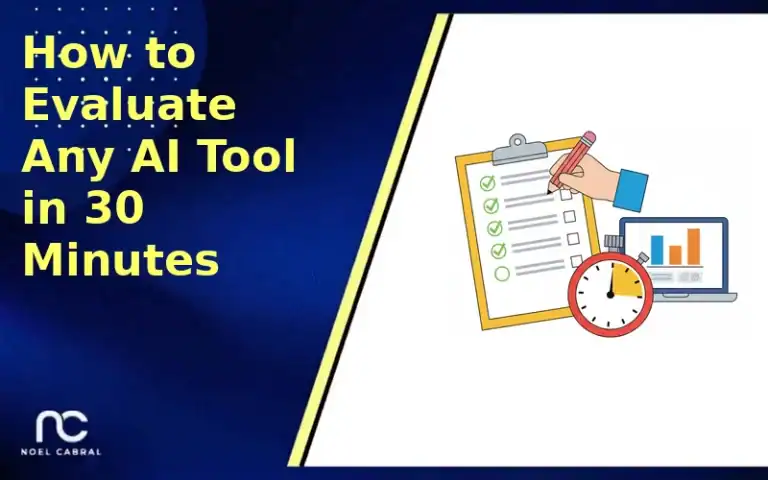
How to Evaluate AI Tools in 30 Minutes: A 2026 Step-by-Step Guide

Forty-two percent of companies abandoned AI initiatives in 2025 after poor tool choices (Fullview, 2025). This 30-minute framework breaks evaluation into six timed steps — red flag scan, use case test, quality check, integration review, business model assessment, and scoring — so you can evaluate AI tools quickly without a 10-month buying cycle.

The average B2B software buying cycle takes 10.1 months (6sense, 2025). When you need to evaluate AI tools quickly, that timeline is a problem. The tool you started vetting in January may be obsolete — or acquired — by October.
And yet rushing leads to waste. 42% of companies abandoned most of their AI initiatives in 2025, up from 17% the year before (Fullview, 2025). That’s real money burned on tools that looked promising in a demo but fell apart in practice.
To effectively evaluate AI tools, consider leveraging a structured approach that ensures you don’t overlook critical factors during your assessment. This will enable you to evaluate AI tools effectively and make informed decisions.
This guide gives you a repeatable 30-minute framework to evaluate any AI tool — the same process I use when a new tool hits my radar. You won’t need a procurement committee or a month-long pilot. You’ll need a timer, a browser, and the scoring rubric below.
In this guide, we will detail the steps required to evaluate AI tools thoroughly, allowing users to evaluate AI tools within a constricted timeframe effectively.
What Do You Need Before Starting?
Before you start the clock, spend five minutes gathering these essentials. Walking into an evaluation without a defined use case is how people end up with shiny tools that solve problems they don’t actually have.
- A specific use case written in one sentence (e.g., “Summarize customer support tickets into weekly reports”)
- A test input — real data or a realistic sample you’ll feed the tool during evaluation
- Your “good enough” bar — what output quality needs to look like for you to consider this tool useful
- Your current solution — even if it’s manual, know what you’re comparing against
- Budget range — rough monthly or annual limit
- Time: 30 minutes (set a timer)
- Difficulty: Beginner — no technical background needed

Step 1: Run the Red Flag Scan (Minutes 0–5)
By the end of this step, you’ll have either eliminated the tool entirely or cleared it for deeper evaluation. 95% of buyers purchase from one of four vendors already on their shortlist (6sense, 2025), which means most people make up their mind early. Use that instinct, but back it with data.
Open the tool’s website and run through these five deal-breakers in under five minutes:
- Pricing transparency. Can you find pricing within two clicks? If the answer is “Contact Sales” with zero indication of cost, flag it. Vague pricing often means unpredictable scaling costs.
- Free trial or sandbox. No way to test before buying? Walk away. You can’t evaluate what you can’t touch.
- Last update date. Check the changelog, blog, or release notes. If the last update was 6+ months ago, the tool may be abandoned or stagnating.
- Clear documentation. Scan for a help center, API docs, or getting-started guide. Thin documentation signals a tool that won’t support you when things break.
- Company backing. Who built this? A funded startup? An established company? A solo developer? This isn’t about gatekeeping — it’s about risk tolerance.
If two or more red flags appear, stop the timer and move to the next tool on your list. In my experience, tools that fail the red flag scan rarely redeem themselves deeper into evaluation. You just saved yourself 25 minutes.
Step 2: Test the Core Use Case (Minutes 5–10)
By the end of this step, you’ll know whether the tool can actually do the one thing you need it to do. This is the step most people skip — they watch the demo reel, read the feature list, and assume it works. It often doesn’t.
- Sign up for the free trial or sandbox. Use a real email. If onboarding takes more than 3 minutes, note that — complex onboarding usually means complex daily use.
- Feed it your test input. Not their sample data. Yours. The demo dataset is curated to make the tool look good. Your messy, real-world data is the actual test.
- Compare the output to your “good enough” bar. Is it genuinely useful, or would you spend more time fixing its output than doing the task yourself?
What surprised me when I started doing this consistently: about half the tools I evaluated couldn’t handle my actual use case on the first try. The feature existed on the marketing page, but the execution was mediocre. Five minutes of hands-on testing reveals what no amount of review reading can.

Step 3: Check the Output Quality (Minutes 10–15)
By the end of this step, you’ll have a concrete quality score for the tool’s output — not a gut feeling, but a number. 95% of AI pilot projects fail to deliver measurable ROI (Flowlyn, 2025), and poor output quality is a primary reason.
Run your test input through the tool two more times with slight variations. You’re checking three things:
- Consistency. Does it give similar-quality results each time, or is the output wildly different between runs? Inconsistency is a reliability killer.
- Accuracy. For your specific domain, are the outputs factually correct? Spot-check at least three claims or data points in the output.
- Effort-to-fix ratio. How much editing does the output need before it’s usable? If you’re spending 15 minutes fixing a 2-minute generation, the tool is costing you time, not saving it.
Score each dimension 1–5 and write it down. A total below 9 out of 15 means the tool isn’t production-ready for your use case. It might improve — AI tools iterate fast — but today it doesn’t clear the bar.
Step 4: Assess Integration and Data Security (Minutes 15–20)
By the end of this step, you’ll know whether this tool can actually fit into your existing workflow without creating a security nightmare. 82% of organizations say data security is their top priority when selecting AI tools (IBM, 2024) — and for good reason.
Make sure to evaluate AI tools in real-world scenarios to gauge their actual performance.
Spend these five minutes checking four things:
- API and integrations. Does it connect to the tools you already use? Check for native integrations with your CMS, CRM, project management tool, or whatever systems this needs to feed into. No API and no Zapier/Make support? That’s a manual copy-paste workflow forever.
- Data handling policy. Search for their privacy policy or security page. Specifically: Does the tool train on your data? Can you delete your data? Where is data stored geographically?
- Compliance certifications. Look for SOC 2 Type 2, ISO 27001, or GDPR compliance badges. If you handle sensitive customer data, these aren’t optional.
- Export capability. Can you get your data out? Tools that lock in your content with no export path are a trap. Always verify you can leave.

Step 5: Evaluate the Business Model (Minutes 20–25)
By the end of this step, you’ll understand whether this tool’s pricing will work for you at scale — not just today, but six months from now. AI-native SaaS products under $50/month see only 23% gross revenue retention (Growth Unhinged, 2025), meaning cheap AI tools disappear fast. You need to evaluate sustainability.
- Pricing model. Is it per seat, per usage, or flat rate? Per-usage pricing can balloon unpredictably. Calculate your projected monthly cost at 2x your current expected usage.
- Vendor viability. Check Crunchbase or LinkedIn. How much funding do they have? How big is the team? A 3-person startup with no funding isn’t necessarily bad, but it’s a risk factor.
- Lock-in risk. What happens if this company shuts down next quarter? Can you migrate your workflows? Do they use proprietary formats?
- Usage limits. Free tiers and low-cost plans often have limits that matter — API rate limits, storage caps, or feature gates that push you to expensive tiers quickly.
Companies spent $37 billion on generative AI in 2025, a 3.2x increase from the prior year (Menlo Ventures, 2025). That spending is accelerating, which means more tools will launch — and more will fail. Choose tools built to last.

Step 6: Score and Make Your Decision (Minutes 25–30)
By the end of this step, you’ll have a final score and a clear yes, no, or “needs more testing” verdict. This is where the framework earns its keep — instead of agonizing for weeks, you have a number.
Pull out your notes from Steps 1–5 and score the tool across five categories:
| Category | Weight | Your Score (1–5) | Weighted |
|---|---|---|---|
| Core Use Case Fit | 30% | ___ | ___ |
| Output Quality | 25% | ___ | ___ |
| Integration & Security | 20% | ___ | ___ |
| Business Model & Pricing | 15% | ___ | ___ |
| Vendor Viability | 10% | ___ | ___ |
Scoring guide:
- 4.0–5.0: Adopt — move forward with implementation
- 3.0–3.9: Pilot — run a 2-week trial with a small team
- 2.0–2.9: Wait — revisit in 3 months
- Below 2.0: Reject — move to next option
What Mistakes Should You Avoid When You Evaluate AI Tools?
During the integration check, ensure you can evaluate AI tools seamlessly with your existing systems.
The most frequent mistake is evaluating the demo instead of the product. 42% of executives say generative AI adoption is “tearing their company apart” (Deloitte, 2025), and a big chunk of that pain comes from buying tools that performed well in a controlled presentation but failed under real conditions.
1. Evaluating with the vendor’s demo data
The demo dataset is designed to make the tool shine. Always test with your own data — messy, incomplete, and domain-specific. That’s the real test.
2. Ignoring the “effort-to-fix” cost
A tool that generates mostly-good output sounds great until the remaining cleanup takes longer than doing the task manually. Always track editing time, not just whether output exists.
3. Skipping the security check for “just a trial”
Trial data is still data. If you paste customer emails into an AI tool “just to test,” you’ve already created a data handling issue. Check the privacy policy before you input anything sensitive.
4. Confusing features with fit
Organizations run an average of 200 AI tools, but only 28% of employees know how to use them (WalkMe, 2025). More features doesn’t mean better fit. The best tool is the one your team will actually use.
5. Not setting a time limit on the evaluation itself
This is the mistake I made for years. Without a time constraint, evaluation bleeds into weeks of “I’ll look at it more later.” The 30-minute framework exists because constraints produce decisions. Open-ended exploration produces bookmarks.
What Does a Successful AI Tool Evaluation Look Like?
If you followed all six steps, you should now have a one-page evaluation with a clear score and verdict. A successful evaluation doesn’t always mean you found the right tool — it means you made a fast, informed decision.
Understanding the vendor’s position can also help you evaluate AI tools more effectively.
Your completed scorecard should include:
- A weighted score between 1.0 and 5.0
- A clear verdict: Adopt, Pilot, Wait, or Reject
- 2–3 specific notes on strengths and risks
- A date to revisit (if the verdict is Wait or Pilot)
Over time, these scorecards build into a decision log. When someone asks “why did we pick Tool X?” you have the receipts. When it’s time to re-evaluate, you have a baseline to compare against.

Frequently Asked Questions
What criteria should I use to evaluate an AI tool?
After all six steps, your ability to evaluate AI tools will have significantly improved, allowing for better decision-making.
Focus on five categories: core use case fit (does it solve your specific problem?), output quality (consistency, accuracy, and effort-to-fix), integration capability (APIs, native connections), data security (SOC 2, GDPR, data retention policies), and vendor viability (funding, team size, update frequency). Weight them based on your priorities — for most teams, use case fit should carry the most weight at 30%.
Ultimately, the decision to evaluate AI tools should be based on a comprehensive analysis of their long-term viability.
How do I know if an AI tool’s output is accurate enough?
Test it against “ground truth” — data where you already know the correct answer. Run your test input three times and spot-check specific claims in each output. MIT Sloan recommends asking one core question: “Can this tool demonstrate accuracy against verified, real-world data?” If the vendor can’t show benchmarks against known-correct outputs, that’s a red flag.
What security questions should I ask before adopting an AI tool?
Ask four things: Does the tool train on my data? Can I delete my data on request? Where is data stored geographically? And do they hold SOC 2 Type 2 or ISO 27001 certification? 82% of organizations prioritize data security in AI tool selection (IBM, 2024). If a vendor can’t answer these clearly, that’s a red flag.
Should my company build or buy AI solutions?
Buy, in most cases. 72% of organizations now prefer purchasing AI solutions over building in-house (Menlo Ventures, 2025). Building makes sense only when you have unique proprietary data that gives you a competitive advantage and an in-house ML team to maintain it. For everything else, buy-and-customize gets you to ROI faster.
How much does it cost to switch AI tools if I choose wrong?
More than the subscription price. Switching costs include migration time (moving data, workflows, and integrations), retraining time (getting your team up to speed on the new tool), and productivity loss during the transition. AI chatbot tools alone see up to 76% annual churn (LiveX AI, 2025). A structured 30-minute evaluation upfront is far cheaper than a mid-year tool migration.
Start Evaluating Smarter
Remember to avoid common pitfalls when you evaluate AI tools to ensure a successful outcome.
You now have a repeatable 30-minute framework to evaluate any AI tool — from red flag scan to final score. In a market with 16,000+ options and rising abandonment rates, structured evaluation isn’t optional. It’s how you avoid becoming part of the 42% who waste budget on tools that don’t deliver.
Set a timer, grab a tool you’ve been meaning to test, and run through all six steps. Then save your scorecard. Future you will appreciate having the receipts.
Have a framework of your own? Drop it in the comments — I’m always refining this process.
To wrap up, it is crucial to regularly evaluate AI tools within your organization to stay competitive.
As you proceed, make it a practice to evaluate AI tools diligently to enhance your workflow.
Have you found a method that enhances how you evaluate AI tools? Share your insights.The Real-World Guide to Claude AI Workflows (Beyond the Hype)